
Open source · Scheduling
open-cal
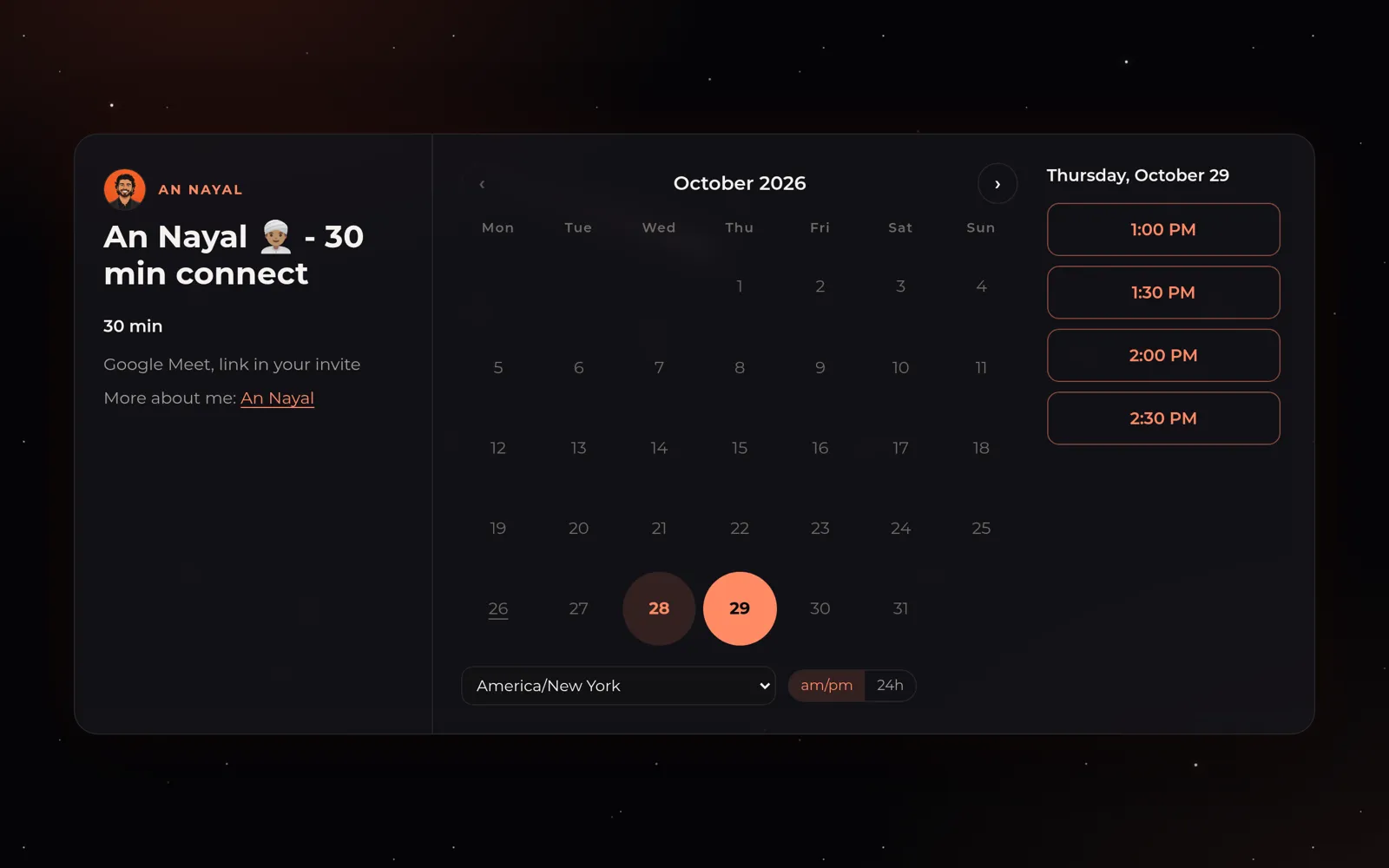
open-cal is a free, MIT-licensed booking page you host yourself. It reads live free/busy from Google Calendar, books the meeting on the host's calendar with a Google Meet link, and lets Google send the invites. One Next.js app, one Supabase database, one Google service account, no per-seat pricing. We built it to replace Calendly for our own team, and it runs our booking page at cal.agniverse.co.
Published 30 October 2026 · Updated 30 October 2026 · By An Nayal
What does open-cal do?
- Booking pages. yourdomain.com/<person> lists their event types, and each event has its own picker. Guests see times in their own time zone, 12h or 24h.
- Real availability. Slots come from live Google free/busy across every calendar you tick, including calendars shared from other accounts. Nothing about your calendar is stored or shown, only open start times.
- Google does the invites. The booking is created on the host's calendar with a Meet link. Google sends the invite, the reminders, the reschedule and the cancellation.
- Reschedule and cancel links. Every invite carries a private link where the guest moves or cancels. Moving re-checks free/busy and patches the same Google event.
- A form like Calendly's. Name, email, up to 10 extra guests, plus your own questions. Answers go into the invite and the admin.
- Rules per event type. Length, start-time grid, minimum notice, booking window, buffers, daily caps, extra attendees, extra calendars that must be free, and a calendar colour.
- Follows your calendar. Delete or move a booked meeting in Google Calendar and open-cal follows. A cron job keeps the two in sync.
- Race-safe. A unique index means two guests can never book the same start. The second one is told the time was just taken.
- Admin page. One password, every host on the deploy: pages, event types, hours, calendars and bookings.
What it will not do
- It needs Google Workspace (any paid plan). Personal Gmail calendars work only as extra busy calendars shared with a Workspace host.
- No payments, round-robin, team pooling, Zoom, embeds or SMS. Fork it and add what you need.
Who is it for?
Teams on Google Workspace who pay per seat for a scheduling tool and only need booking pages, real availability and clean invites.
How do you set it up?
You need:
- A Google Workspace account with admin access (for domain-wide delegation).
- A Supabase project (the free tier is enough).
- A Vercel account, or any host that runs Next.js.
- Create the Supabase project and run the schema.
- Create a Google Cloud project and a service account with the Calendar API on.
- Grant the service account domain-wide delegation in Workspace admin.
- Deploy to Vercel with the environment variables from the README.
- Point a custom domain at it and add your hosts in /admin.
The full instructions live in the README on GitHub.
More open source from Agniverse
Phone Farm iOS
A farm of real iPhones, run from your Mac.
flight-pass
Swap contacts at events with a boarding pass and a 10 second rocket flight to Mars.
UAE Corporate Tax Registration Skill
Register your UAE company for Corporate Tax with an AI agent filling the EmaraTax form.
UAE VAT Registration Skill
Register your UAE company for VAT on EmaraTax, with the turnover maths done by invoice date.
Built and published by An Nayal at Agniverse. MIT licensed. All our open source.