Open source · Dictation and call notes
Sunlo
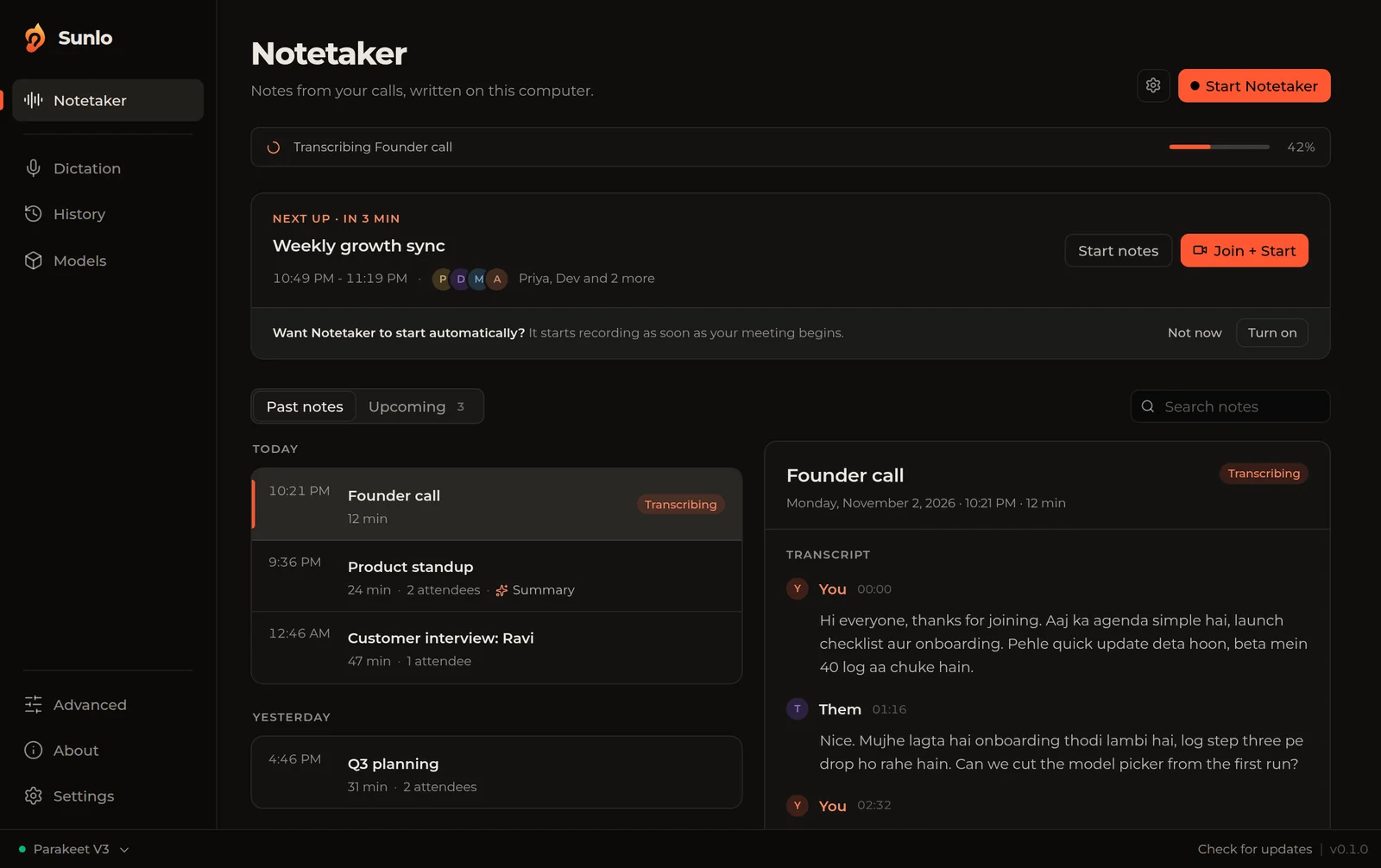
Sunlo is a free, open-source app for Mac and Windows that types what you say and takes notes on your calls. Dictation works in any app and in 100 languages, and Hinglish comes out in Roman letters, the way you would type it. The notetaker records both sides of a call, writes the transcript on your computer in English, French or Hinglish, and names the note after the calendar invite. We built it for our own team as a free swap for Wispr Flow and Granola.
Version 0.1.0. Mac needs Apple Silicon (M1 or newer). Windows 10 and 11.
Published 30 October 2026 · Updated 2 November 2026 · By An Nayal
What does Sunlo do?
- Dictation in any app. Press your shortcut, talk, and Sunlo types the words where your cursor is. It understands 100 languages, and Hinglish comes out in Roman letters, not Devanagari.
- No text box, no lost words. If nothing is selected when you finish, the text lands on a small card with a Copy button.
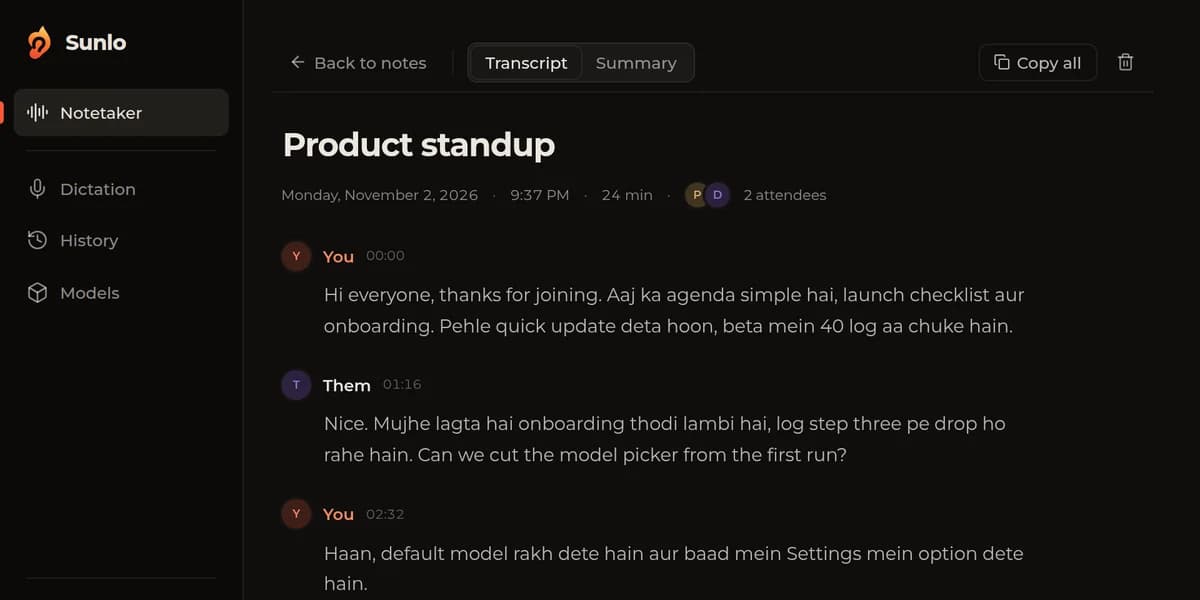
- Notes from your calls. Start the notetaker and it records your mic and the other side of the call. The transcript is split into You and the other speakers, with Copy all.
- Call notes in English, French and Hinglish. Pick the language per call. Speech models run on your computer and work offline after the first download.
- The Fire Bar. A small floating recorder with a fire swirl and voice bars that move as people talk. Drag it to any edge of the screen. Hover for the timer, Stop and your notes.
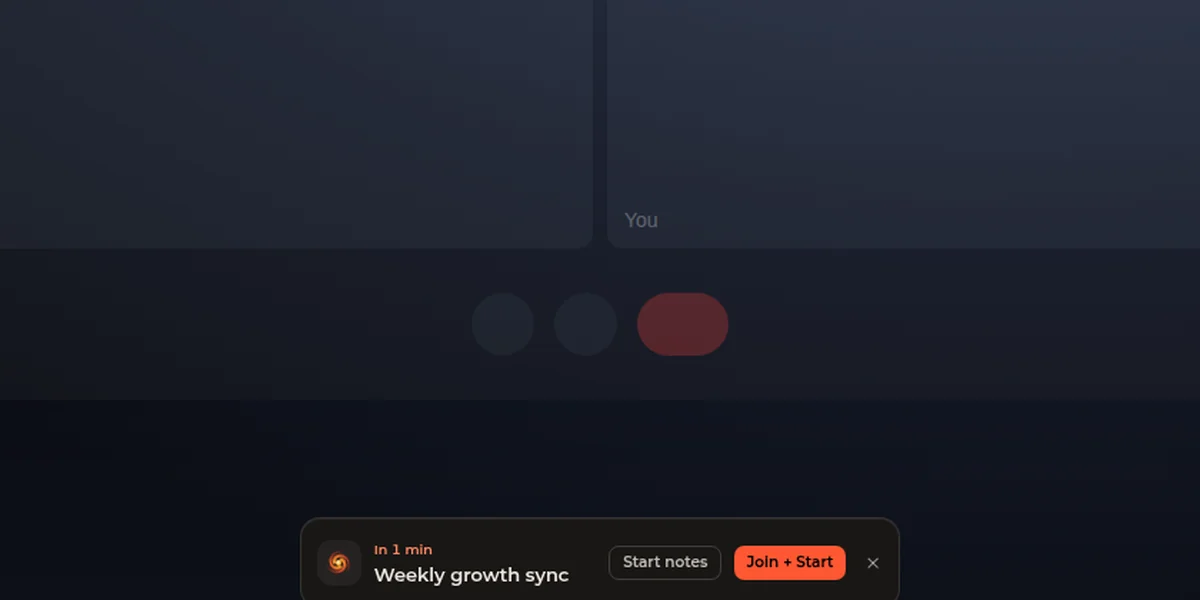
- Meeting popup. Connect your calendar and, a minute before a meeting, a bar at the bottom of the screen offers Start notes or Join + Start. The note takes the invite's title.
- Menu bar. Your next meetings with a countdown, past notes, Start notetaker and Paste last transcript, one click from the menu bar on Mac or the system tray on Windows.
- Quiet while you work. Sound mutes while you dictate. On Mac, Spotify and Apple Music pause when a call recording starts.
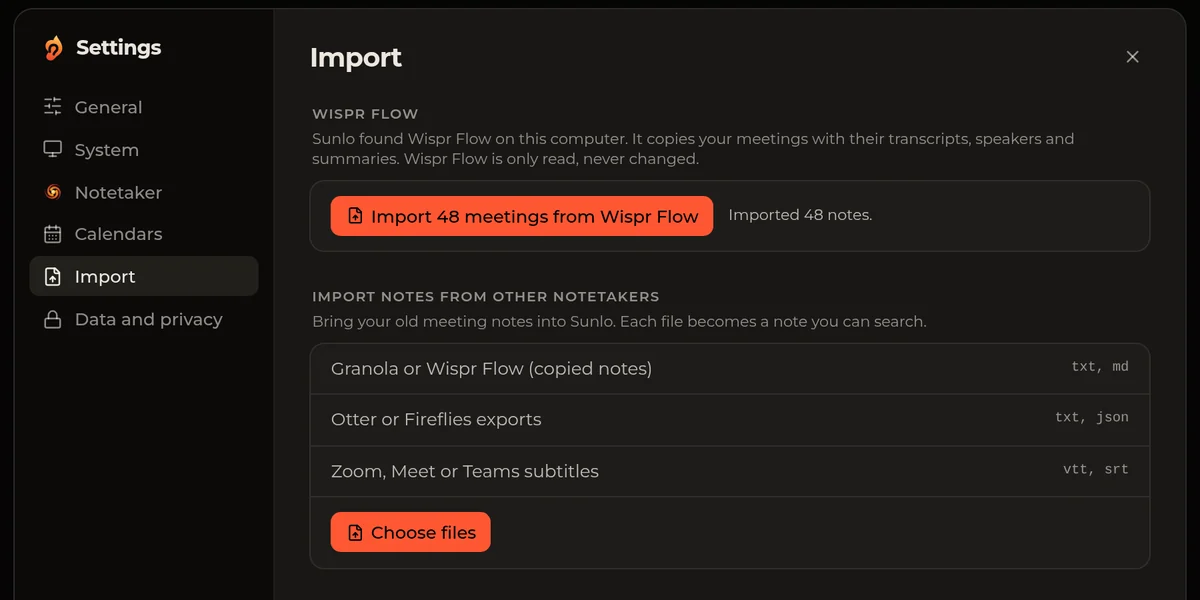
- Bring your old notes. On Mac, import every Wispr Flow meeting in one click, with transcripts, speakers and summaries. Text exports from Granola, Otter and Fireflies and Zoom, Meet or Teams subtitle files work too.
- Your notes stay with you. Recordings and notes live in one folder on your computer, and Settings opens it. Summaries are optional and use your own AI key.
What it will not do
- The Mac download is for Apple Silicon (M1 and newer). There is no Intel Mac or Linux download yet.
- It is not signed with a paid Apple or Microsoft certificate yet, so the first open takes one extra click. The steps are below.
- There is no built-in AI. Summaries need your own key.
- No accounts, sharing or cloud sync. Each person's notes stay on their own computer.
Which languages does Sunlo work in?
Call notes: 3 languages
Pick one per call. Each runs on its own speech model on your computer.
- English
- French
- Hinglish (Hindi and English, written in Roman letters)
Dictation: 100 languages, plus Hinglish
The Whisper models cover all 100. Parakeet V3, the fast default, covers 25 European languages. Hinglish uses Sunlo's own Hinglish Fast and Hinglish Accurate models.
- Afrikaans
- Albanian
- Amharic
- Arabic
- Armenian
- Assamese
- Azerbaijani
- Bashkir
- Basque
- Belarusian
- Bengali
- Bosnian
- Breton
- Bulgarian
- Burmese
- Cantonese
- Catalan
- Chinese
- Croatian
- Czech
- Danish
- Dutch
- English
- Estonian
- Faroese
- Finnish
- French
- Galician
- Georgian
- German
- Greek
- Gujarati
- Haitian Creole
- Hausa
- Hawaiian
- Hebrew
- Hindi
- Hungarian
- Icelandic
- Indonesian
- Italian
- Japanese
- Javanese
- Kannada
- Kazakh
- Khmer
- Korean
- Lao
- Latin
- Latvian
- Lingala
- Lithuanian
- Luxembourgish
- Macedonian
- Malagasy
- Malay
- Malayalam
- Maltese
- Maori
- Marathi
- Mongolian
- Nepali
- Norwegian
- Norwegian Nynorsk
- Occitan
- Pashto
- Persian
- Polish
- Portuguese
- Punjabi
- Romanian
- Russian
- Sanskrit
- Serbian
- Shona
- Sindhi
- Sinhala
- Slovak
- Slovenian
- Somali
- Spanish
- Sundanese
- Swahili
- Swedish
- Tagalog
- Tajik
- Tamil
- Tatar
- Telugu
- Thai
- Tibetan
- Turkish
- Turkmen
- Ukrainian
- Urdu
- Uzbek
- Vietnamese
- Welsh
- Yiddish
- Yoruba
The app itself: 26 languages
Menus, settings and buttons are translated into:
- Arabic
- Bulgarian
- Catalan
- Chinese (Simplified)
- Chinese (Traditional)
- Czech
- Danish
- Dutch
- English
- French
- German
- Hebrew
- Hindi
- Indonesian
- Italian
- Japanese
- Korean
- Nepali
- Polish
- Portuguese
- Russian
- Spanish
- Swedish
- Turkish
- Ukrainian
- Vietnamese
Who is it for?
Anyone who wants Wispr Flow style dictation and Granola style call notes without a subscription, and teams who talk in Hinglish. We built it for the Agniverse team first.
How do you install Sunlo?
Mac (Apple Silicon, M1 or newer)
- Click Download for Mac and open the .dmg file.
- Drag Sunlo into Applications, then open it from Applications.
- The first time, macOS says Sunlo can't be opened. Click Done, go to System Settings > Privacy & Security, scroll down and click Open Anyway, then Open. You only do this once.
- Allow the microphone when asked, and turn Sunlo on under Privacy & Security > Accessibility so it can type into other apps.
- For call notes, turn Sunlo on under Privacy & Security > Screen & System Audio Recording, so it can hear the other side of the call.
- Pick a speech model. It downloads once, then Sunlo works offline.
Windows 10 and 11
- Click Download for Windows and run the setup file.
- If a blue Windows protected your PC box appears, click More info, then Run anyway.
- Finish the installer and open Sunlo from the Start menu.
- Allow the microphone when asked.
- Pick a speech model. It downloads once, then Sunlo works offline.
Something not working? Open an issue on GitHub. The code and build steps are in the README.
Questions about Sunlo
Is Sunlo really free?
Does my audio leave my computer?
Where are my notes stored?
Why does my Mac say Sunlo can't be opened?
Which languages does Sunlo understand?
Can I bring my notes from Wispr Flow?
More open source from Agniverse
Flight Pass
Swap contacts at events with a boarding pass and a 10 second rocket flight to Mars.
One Box > Chapter Website Redesign Claude Playbook
A Claude Code skill that rebuilds your homepage and ships it as an A/B test.
Built and published by An Nayal at Agniverse. Apache-2.0 licensed. All our open source.